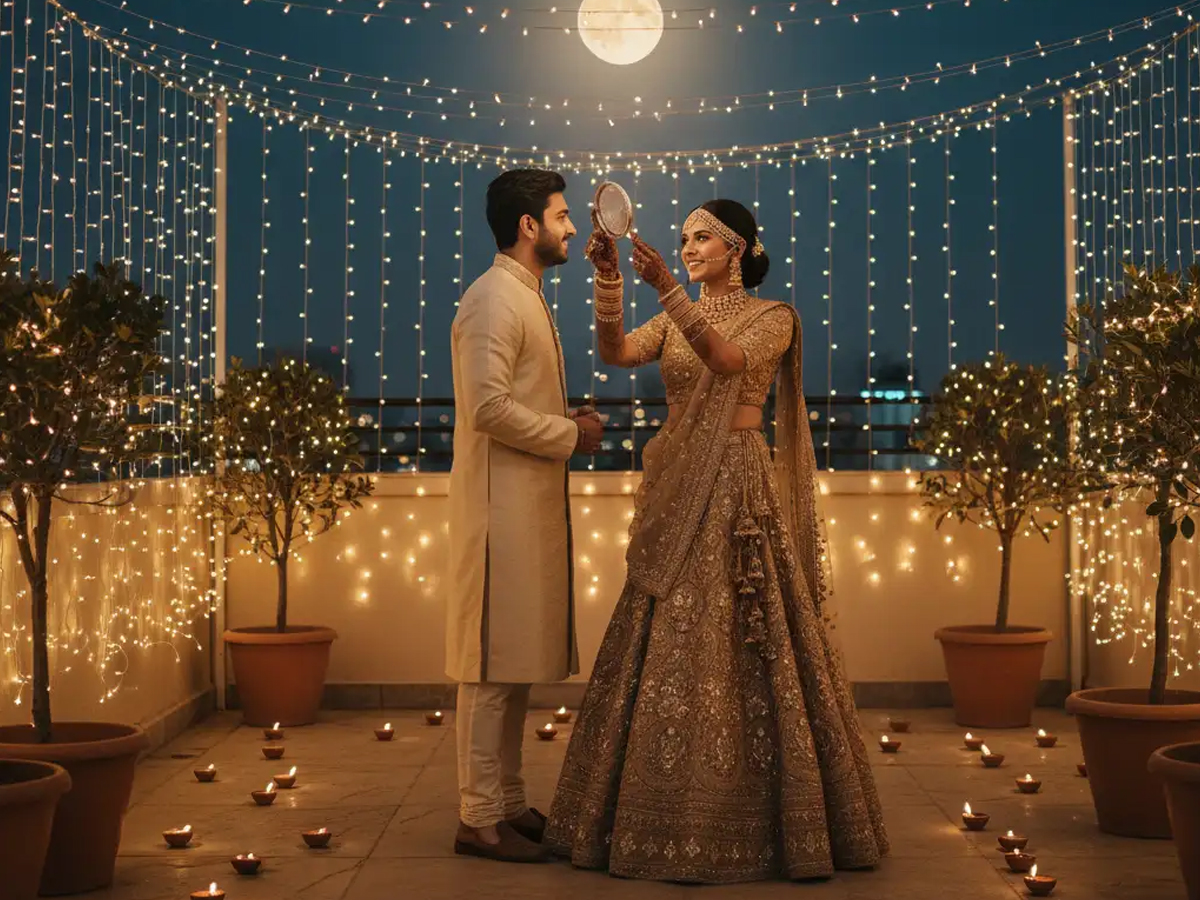
This Karwa Chauth, Google is giving festive photography a creative and modern twist. The tech company has introduced a new AI-powered tool called Gemini Nano Banana, designed to help users turn simple selfies into colourful, cinematic portraits.
Powered by Gemini 2.5 Flash and Gemini Pro, this feature combines Indian cultural aesthetics with the latest image-generation technology. The result — warm, elegant, and authentic portraits that look perfect for Instagram or WhatsApp shares.
AI Meets Tradition in a Festive Blend
Google’s Nano Banana AI has already gone viral on social media. Users are transforming their photos into stunning Karwa Chauth-inspired portraits with just a few taps.
Creators are experimenting with looks in traditional sarees, gold jewellery, bangles, and diya-lit backgrounds. The AI effortlessly adds cultural details like festive lights, moonlit skies, and ritual thalis, making each portrait look vibrant and real.
This feature reflects how artificial intelligence can celebrate traditions while promoting creativity.
How to Create Your Karwa Chauth Portrait
Creating your festive portrait is easy. You only need the Google Gemini app and a Google account.
Here’s how it works:
- Open the Google Gemini app and sign in.
- Go to the Nano Banana feature.
- Upload your selfie or a photo.
- Enter a descriptive prompt (Google has shared several examples).
- Tap Generate and download your new festive portrait.
Sample Prompts for the Perfect Karwa Chauth Look
Google shared detailed prompts to help users get the best results.
- “Transform your photo into a mid-shot of a woman in a maroon saree, holding a sieve during evening puja, with the warm glow of diyas and subtle home décor in the background.”
- “Create an image of an Indian woman standing on her balcony during the Karwa Chauth festival, wearing a red lehenga and bangles on her wrists, gold jewelry and earrings, and looking at the moon. Her hair is open and she is holding a ritual offering plate in her hand. The night sky and a large, bright moon are visible.”
- “Create a 4K close-up portrait of a couple celebrating Karwa Chauth, the woman wearing a maroon lehenga with intricate gold embroidery, and the man in a sherwani. Focus on their joyful expressions and hand-holding gesture, with a soft bokeh background of festive lights. Include subtle henna patterns on her hands, matching gold jewelry, and a decorative moonlit setting for an intimate, romantic vibe.”
- “Generate a side-view shot of a woman in a pink saree, lighting diyas on a low table, her braid adorned with flowers, and a minimal festive setting.”
- “Create a portrait of a couple performing the Karwa Chauth ritual. The woman in a bright orange saree with gold jewelry, the man in a cream kurta. Emphasize the puja thali, decorated with flowers and a diya, and soft indoor lighting. Highlight cultural authenticity with henna on her hands, subtle expressions of devotion, and a cozy, warm environment reflecting the festival spirit.”
- “4K cinematic portrait of a couple celebrating Karwa Chauth, with soft golden lighting, moon in the background, the woman has a sieve in her hand, and both are wearing festive attire. It is nighttime and a romantic, intimate atmosphere.”
How to Use These Prompts Effectively
To create your own version, open Gemini Nano Banana AI or any supported AI image app. Paste your chosen prompt and adjust details like outfit colour, background, or visual style (realistic, cinematic, or painting).
You can also add Hindi captions like “Chand chhupa badal mein, par pyaar humesha roshan hai” to make your visuals more emotional and festive.
With Nano Banana AI, Google beautifully blends tradition with technology, giving users a new way to celebrate Karwa Chauth online — creative, personalised, and full of festive spirit.