Photo editing has become faster and easier than ever. With Google Gemini’s new “Nano Banana” feature, anyone can change a simple photo into a professional-looking image in seconds. No special skills or costly apps are needed. This AI tool is gaining popularity, especially among bikers who want creative photos with their motorcycles.
What is Google Gemini’s Nano Banana?
Nano Banana is a photo editing feature built into the Gemini 2.5 Flash model. It allows users to upload a normal photo, type in a short description (prompt), and instantly get a new version of the picture.
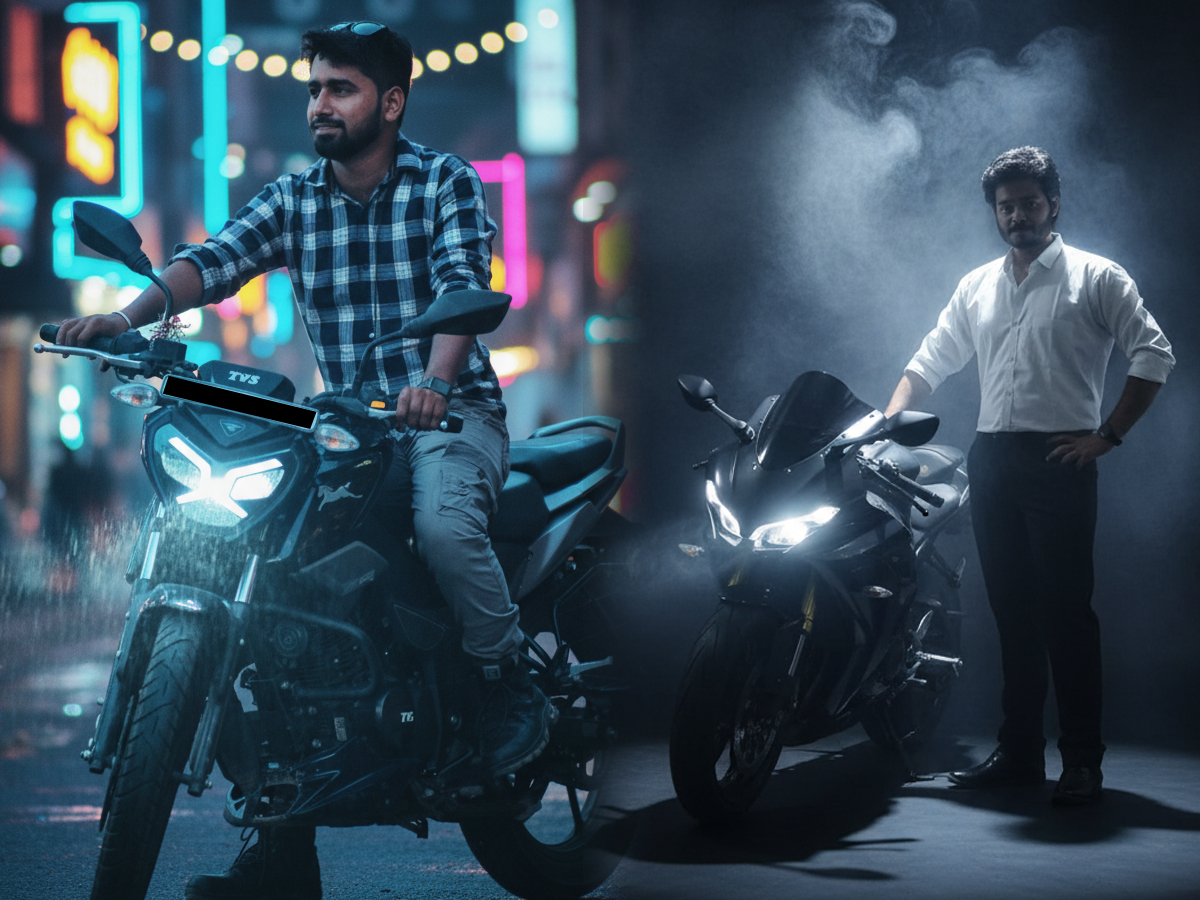
For example, if someone uploads a picture with their bike and adds the prompt “man on a motorcycle in a neon-lit street, cinematic style”, Gemini will transform the photo into exactly that look.
In simple words, Nano Banana makes editing as easy as typing a sentence. It removes the need for professional editing tools, filters, or advanced knowledge.
Why Bikers Love This Feature
Men with motorcycles are some of the most active users of this tool. They are using it to make photos more dramatic, cinematic, or adventurous. Many bikers post these images on Instagram, Facebook, and X, where professional-style edits stand out.
In India, where bike culture is already very strong, the feature has quickly gained popularity. Riders are using prompts to create travel-like posters, cinematic shots, or classic retro edits.
Popular Google Gemini Prompts for Bike Photos
Here are some of the most effective prompts bikers are using:
- Cinematic Street Rider: “Man on a motorcycle in a neon-lit street, cinematic glow, dramatic reflections.”
- Mountain Adventure Mood: “Biker on a winding mountain road, golden sunrise, misty background.”
- Retro Classic Style: “Motorcycle rider in 1980s fashion, vintage filters, soft film grain.”
- Bold Poster Effect: “Man with bike in spotlight, smoke-filled background, sharp contrast.”
- Calm Countryside Scene: “Biker resting near a quiet countryside road, green fields, clear sky.”
These prompts can be customized by changing the type of bike, clothing, or lighting to create unique results.
How Does Nano Banana Work?
Using this tool is very simple. It is available on the Google Gemini app and the Google AI Studio website.
Here are the steps to create images:
- Open the Gemini app or AI Studio.
- Choose the Nano Banana feature.
- Write a detailed text prompt describing the look you want.
- Upload a clear photo of your motorcycle.
- Press Run or Ctrl+Enter to generate the image.
Within seconds, the edited photo is ready with a new background, effects, or style.
A New Era of Photo Editing
Google Gemini’s Nano Banana shows how AI is making creative tools more accessible. For bikers and social media lovers, this feature is a quick and fun way to get professional-looking photos that grab attention.