
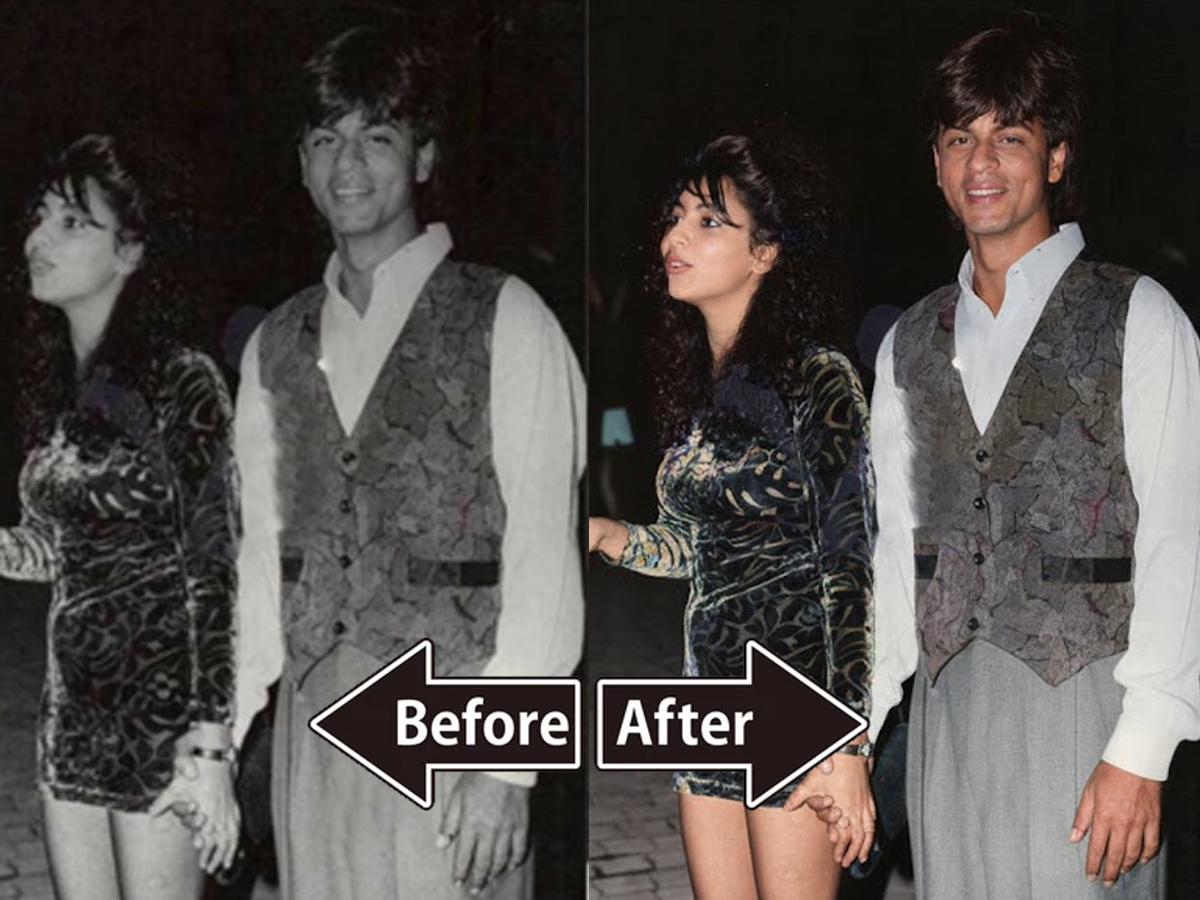
A new wave of content is trending on social media: people are using AI tools to transform their old, damaged, or blurry photos into sharp, studio-like portraits. What once required professional editing skills or expensive software is now possible in seconds with tools like Google Gemini and ChatGPT. Users simply upload a faded image, add a prompt, and the AI restores colours, removes grains, sharpens facial features, and improves clarity — all while keeping the original look intact.
The trend has picked up because these tools don’t “change” the face but enhance it, giving photos the feel of a DSLR camera without losing authenticity. Many users are sharing before-and-after transformations that show dramatic improvements, making old memories look fresh, modern, and full of detail again.
How to Restore Old Photos Using Google Gemini AI
Restoring a photo with Gemini is simple. Even beginners can do it in minutes:
1. Upload an Old Photo
Open the Google Gemini app or website and upload the picture you want to restore.
2. Enter a Restoration Prompt
Use a powerful prompt that tells Gemini exactly what you want. For example:
Prompt: Restore this old photo into a professional portrait of DSLR-quality colour and detail, using an advanced upscaling algorithm comparable to the results from the Canon EOS R6 Mark II. Ensure the restored image looks natural, retains exact facial features, has great clarity, and has no noise. As if taken right now with Canon EOS R6 Mark II.
3. Let the AI Process It
The tool analyzes lighting, colour, clarity, texture, and detail before enhancing everything intelligently.
4. Watch the Magic Happen
Within moments, you get a sharp, balanced, high-quality portrait — often looking like it was taken with a modern camera.
5 Easy Gemini Prompts for Restoring Old Photos
Here are simple prompts you can use for different effects:
Prompt 1:
Restore this old photo into a professional portrait of DSLR-quality colour and detail… as if taken with Canon EOS R6 Mark II.
Prompt 2:
Restore this old photo to match the quality of a Canon EOS R5. Keep it realistic with no grain or noise.
Prompt 3:
Edit this photo into a professional portrait comparable to the Nikon D850. Remove grains, cracks, and noise. Produce ultra-realistic 8K quality.
Prompt 4:
Edit this photo to make it look like it was clicked by iPhone 17. Remove grains and balance the lighting.
Prompt 5:
Restore this old photo to match Samsung S25 Ultra quality. Remove cracks and noise, keep facial features realistic in 4K.
Why AI Restoration Is Becoming So Popular
People value old photos because they hold memories — grandparents, childhood moments, family functions, and old black-and-white portraits. Over time, those images fade or get damaged. AI gives users a chance to revive those moments with clarity and colour they never had before.
The restored photos often look like they were taken today, yet still retain the emotion, expression, and soul of the original.
AI photo restoration is quickly becoming one of the most beloved uses of modern AI tools. With simple prompts and easy steps, anyone can restore precious memories at home. You can experiment with different prompts, styles, and camera references to get the best results — and revive old photos with stunning new clarity.