The latest trend on social media is Google Gemini AI-generated photos, which are taking the internet by storm. Users are experimenting with different looks and styles, from 3D figurines to AI saree transformations. The newest craze allows men to create a striking sports car look photo using simple prompts, making it easy to share their favorite fantasy images online.
How to Use Google Gemini AI
- Creating an AI-generated photo is simple and can be done on your smartphone, PC, or laptop.
- Smartphone users can download the Google Gemini app, while PC or laptop users can visit the Google AI Studio website.
- Once on the platform, users type a command prompt describing the image they want.
- They can also upload a reference photo to guide the AI in generating a realistic version.
- Within seconds, the AI creates the image, ready to be shared on social media platforms like Facebook, Instagram, and X (formerly Twitter).
Step-by-Step Guide
- Open the App or Website: Launch the Google Gemini app on your smartphone or go to the AI Studio website on your PC/laptop.
- Enter the Prompt: Type your descriptive prompt in the chat box. For a sports car or celebrity-style image, be as specific as possible.
- Upload a Reference Photo: Click the ‘+’ button to add a reference image that the AI can use as a base.
- Generate the Image: Press ‘Run’ or hit ‘Enter’ to start the AI image generation.
- Share Your Creation: After a few seconds, your AI-generated image will appear, ready to be uploaded to your social media accounts.
Sample Celebrity-Style Prompt
For users looking to create a dramatic celebrity-style image, try the following:
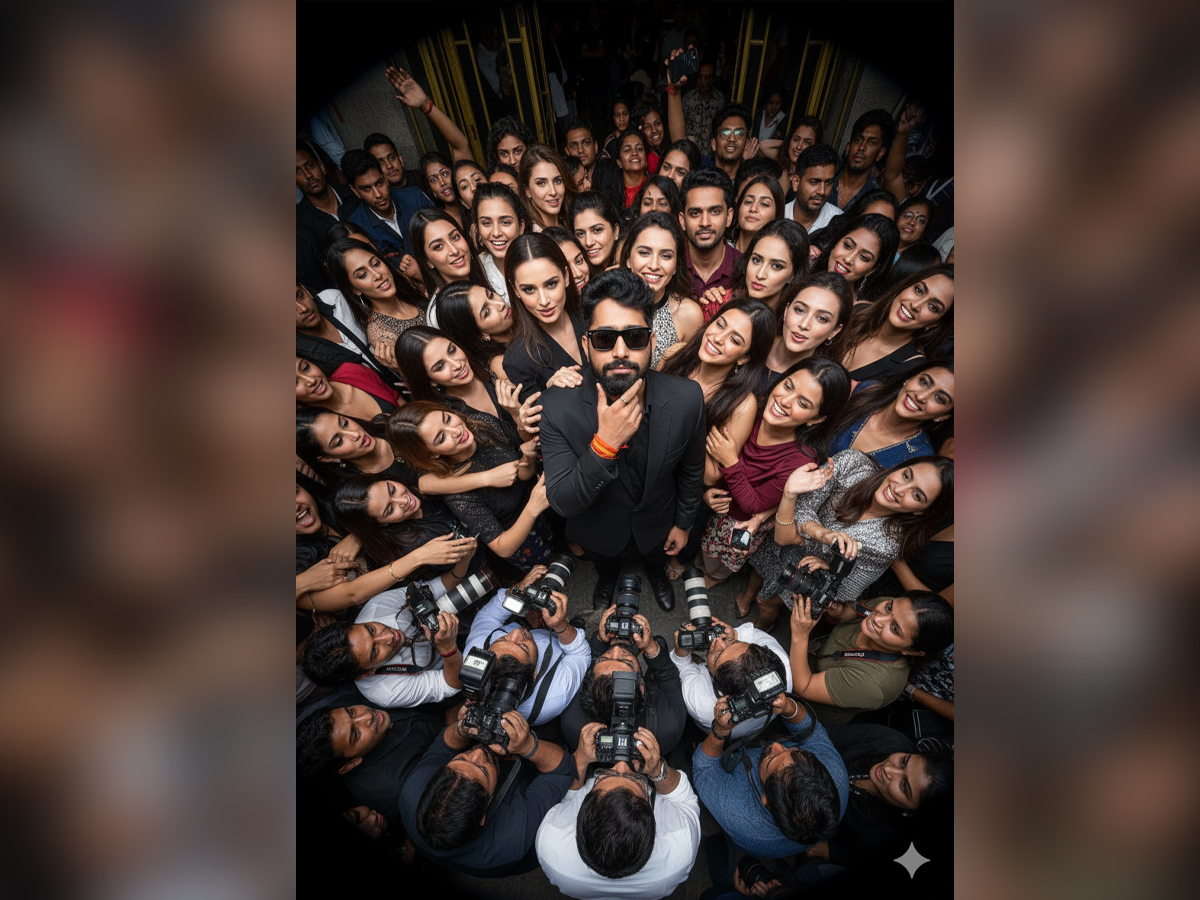
“Wide-angle GoPro-style shot from a high, symmetrical bird’s-eye perspective. [Reference man from the photo] stands in black sunglasses and a sleek black suit, looking casually into the camera while holding his face with his index finger and thumb in a confident gesture. Around him, glamorous supermodels and enthusiastic fans reach out, touching his arms and shoulders, enhancing his magnetic presence. Below the frame, paparazzi flashes and crowded journalists with cameras create a chaotic yet dramatic atmosphere. The ultra-wide GoPro lens exaggerates perspective, making the scene feel immersive, dynamic, and larger-than-life, like a raw, energetic capture from the middle of celebrity madness.”
This prompt captures the essence of a high-energy, star-studded scene, making the generated image feel dynamic and life-like. The combination of an immersive bird’s-eye view and exaggerated GoPro perspective gives the photo a cinematic, larger-than-life effect.
Why Google Gemini AI is Popular
Google Gemini AI has gained attention because it allows users to create professional-looking photos with minimal effort. Whether it’s a sleek sports car scene or a chaotic celebrity moment, the AI brings imagination to life in vivid detail. Social media users love sharing these images, and the platform is quickly becoming a favorite for creative enthusiasts.
With Google Gemini AI, anyone can now create high-quality, personalized visuals that look like they belong in a movie or a high-end photoshoot.