
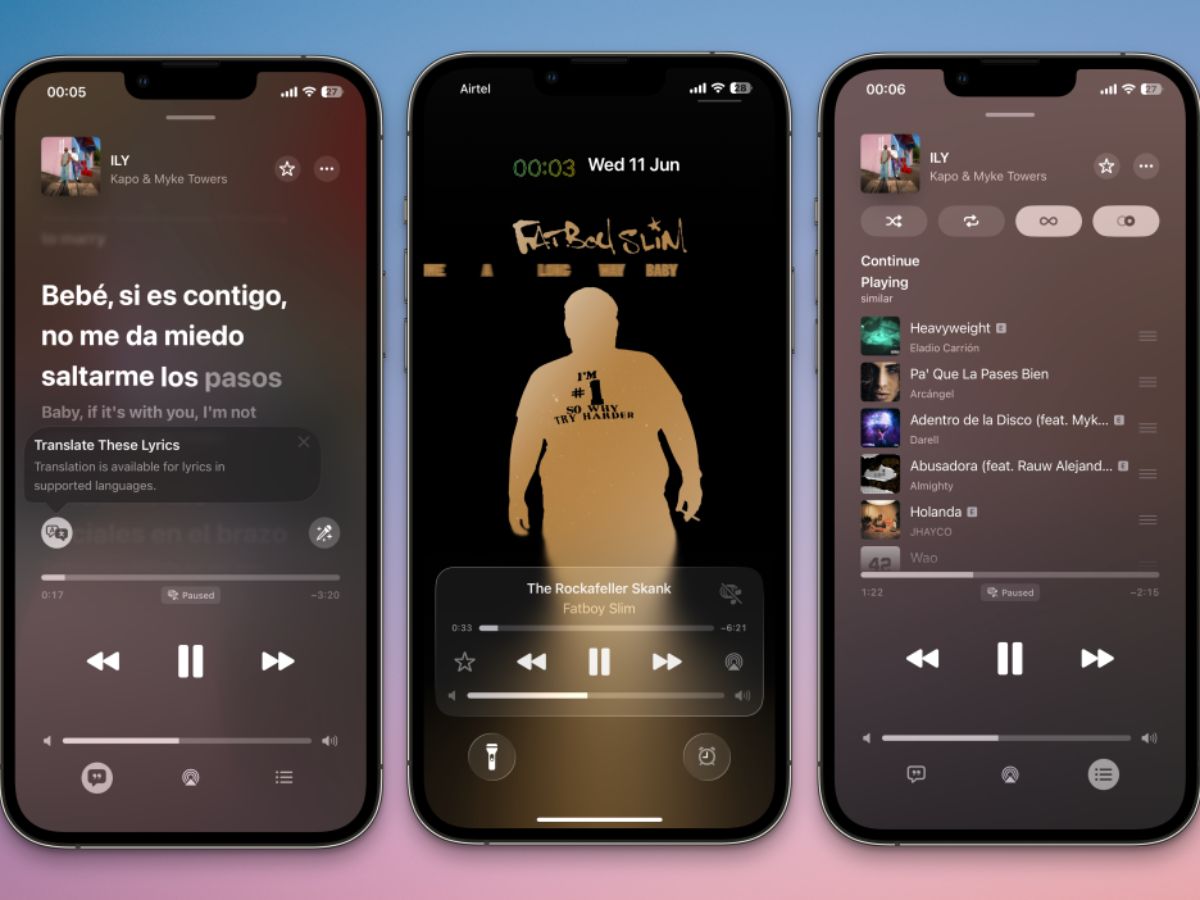
Apple is quietly reshaping how users listen to music on iPhones. With the rollout of iOS 26.2, Apple Music has received a meaningful upgrade that focuses on everyday listening habits. The update makes the app more practical, more personal, and easier to use, especially when users are offline or on the move.
Rather than flashy changes, iOS 26.2 improves the basics. It helps users find their favourite songs faster, enjoy lyrics without internet access, and move around the app more smoothly. For regular Apple Music listeners, these changes make a noticeable difference.
Apple Music Lyrics Update: Now Available Offline
One of the biggest additions in iOS 26.2 is offline lyrics. Users can now view full song lyrics even when the track is downloaded, and there is no internet connection. This feature is useful in many situations.
Users can sing along during flights, underground travel, or in areas with weak network coverage. The feature works automatically for downloaded songs. There is no need to turn on any setting. If lyrics do not appear offline, users only need to re-download the song. Once downloaded again, the lyrics become available without data or Wi-Fi.
Apple Music Update: Favourite Songs Easier to Find on Home Screen
Apple Music has also made it simpler to reach favourite tracks. With iOS 26.2, the Favourite Songs playlist now appears in the Top Picks section on the home tab.
This saves time and reduces extra taps. Users no longer need to search through their library to reach songs they play the most. Apple has placed favourites where users naturally look first. The change reflects a growing focus on personalised listening. The app now adapts more clearly to individual habits.
Apple Music Update: Smoother Navigation With ‘Liquid Glass’ Design
Apple Music also benefits from design changes introduced earlier with iOS 26. The app now uses the “Liquid Glass” interface. This redesign improves visual flow and responsiveness.
Users can swipe between songs directly from the mini player. Menus adjust smoothly as users interact with the app. Animations feel lighter and faster, especially during multitasking. These changes make long listening sessions feel less cluttered and more fluid.
Apple Music Update: Lyrics Translation & Pronunciation Expand Global Music
Apple Music continues to push international discovery. Lyrics Translation allows users to read real-time translations for songs in other languages. Lyrics Pronunciation helps users follow along with correct pronunciation.
These features make global music more accessible. They also help listeners connect more deeply with songs beyond language barriers.
Apple Music Update: New Personalisation Tools & AutoMix Feature
Users can now pin favourite artists, albums, or playlists to the top of their library. This adds another layer of customisation. Apple Music also introduced AutoMix. The feature seamlessly blends songs, similar to a DJ-style transition.
It creates smoother listening sessions without manual crossfade settings. Some users may prefer traditional song endings. Others may enjoy the seamless flow. Apple gives users more choice either way.
Apple Music Moves Closer to Daily Utility
With iOS 26.2, Apple Music feels less like a streaming service and more like a daily companion. Offline lyrics and faster access to favourites suggest Apple is focusing on real-world use, not just discovery. The update may not look dramatic at first glance. However, for users who listen every day, it subtly enhances how music fits into their daily lives.